
Appearance
Schedule & bookings
Schedule shows every resource (field, court, rink, room) and its bookings.
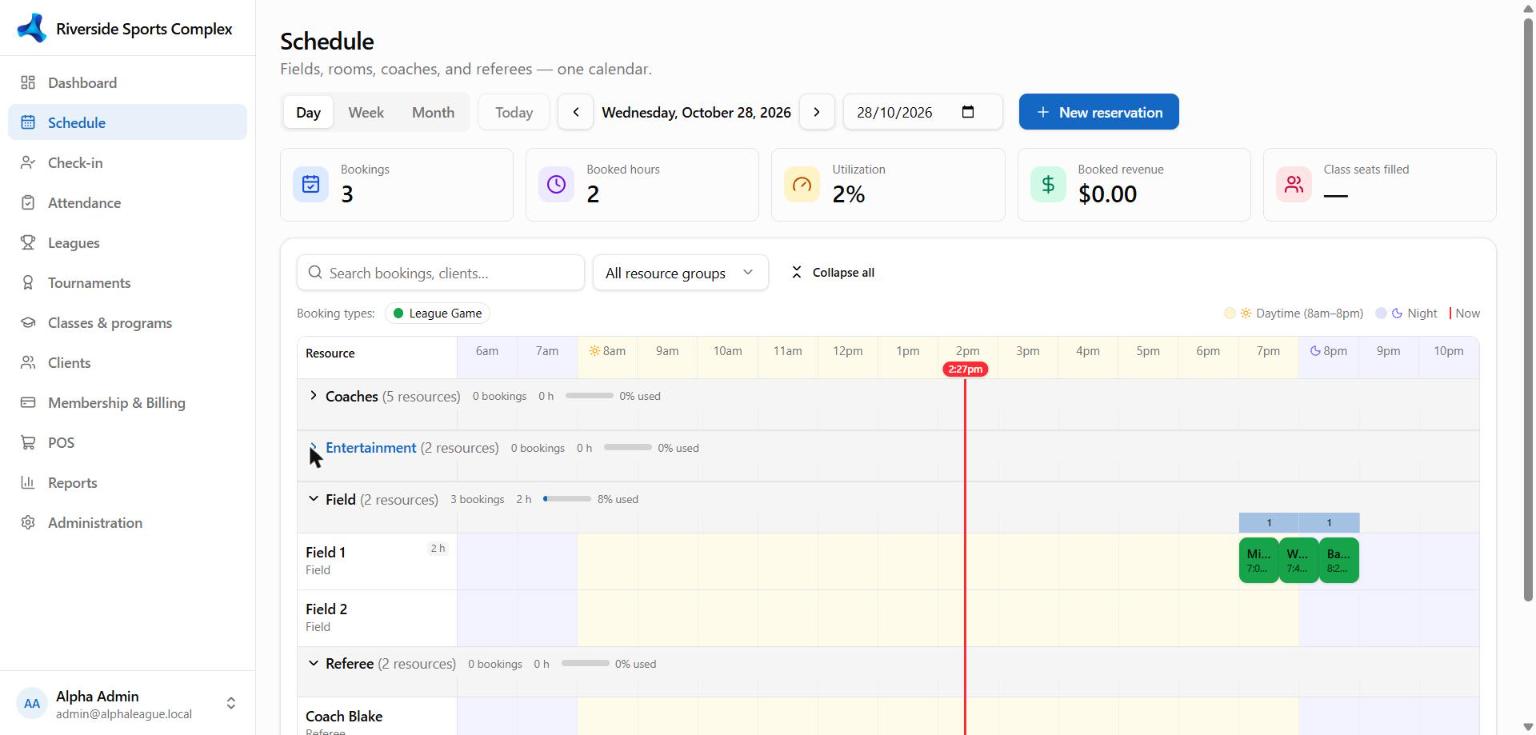
Reading the board
- Resource groups — resources are grouped (e.g. Indoor fields, Party rooms) with the group's total bookings and hours. Collapse a group you don't need today.
- Now line — a vertical line marks the current time on today's view.
- Day and night — daytime hours (8 am–8 pm) and evening hours have different backgrounds, so prime-time slots stand out; closed hours (your operating hours) are dimmed.
- Colours — each reservation type has its own colour (Rental, League game, Practice, Maintenance…).
- The board updates live: a booking made at the front desk or online appears for everyone within seconds.
Make a booking
- Click an empty slot (or New reservation).
- Choose the reservation type, the client (or team) and the time. Drag the edges to change the length.
- Billable types price the booking from your rental rates; add discounts or notes if needed.
- Save. The client gets a confirmation email if alerts are on.
- Recurring bookings — repeat weekly (or on chosen days) until a date; skipped dates are listed before you save.
- Move — drag a booking to another time or resource; resize to change its length.
- Cancel — open the booking → Cancel; charges not yet invoiced are removed, paid ones can be credited or refunded.
- Conflicts — AlphaLeague won't double-book a resource; it tells you which booking is in the way.
Online bookings
Clients book from the portal according to each reservation type's online rules — set under Administration → Resources → Reservation types:
| Rule | Example |
|---|---|
| Online | Book, View only (shown as busy), or Hidden |
| Booking window | Up to 14 days ahead |
| Minimum notice | At least 2 hours before the start |
| Length | 1 to 3 hours |
| Self-cancel | Up to 24 hours before the start |
| Members only | Only clients with selected memberships |
| Paid up | Only clients with no overdue balance |
| Payment at booking | None, a deposit %, or the full price — the slot is held for 15 minutes while they pay |
TV display
Open /tv on a lobby screen for a large, auto-refreshing view of today's schedule.