
Appearance
Memberships & billing
Membership & Billing holds everything clients are charged for.
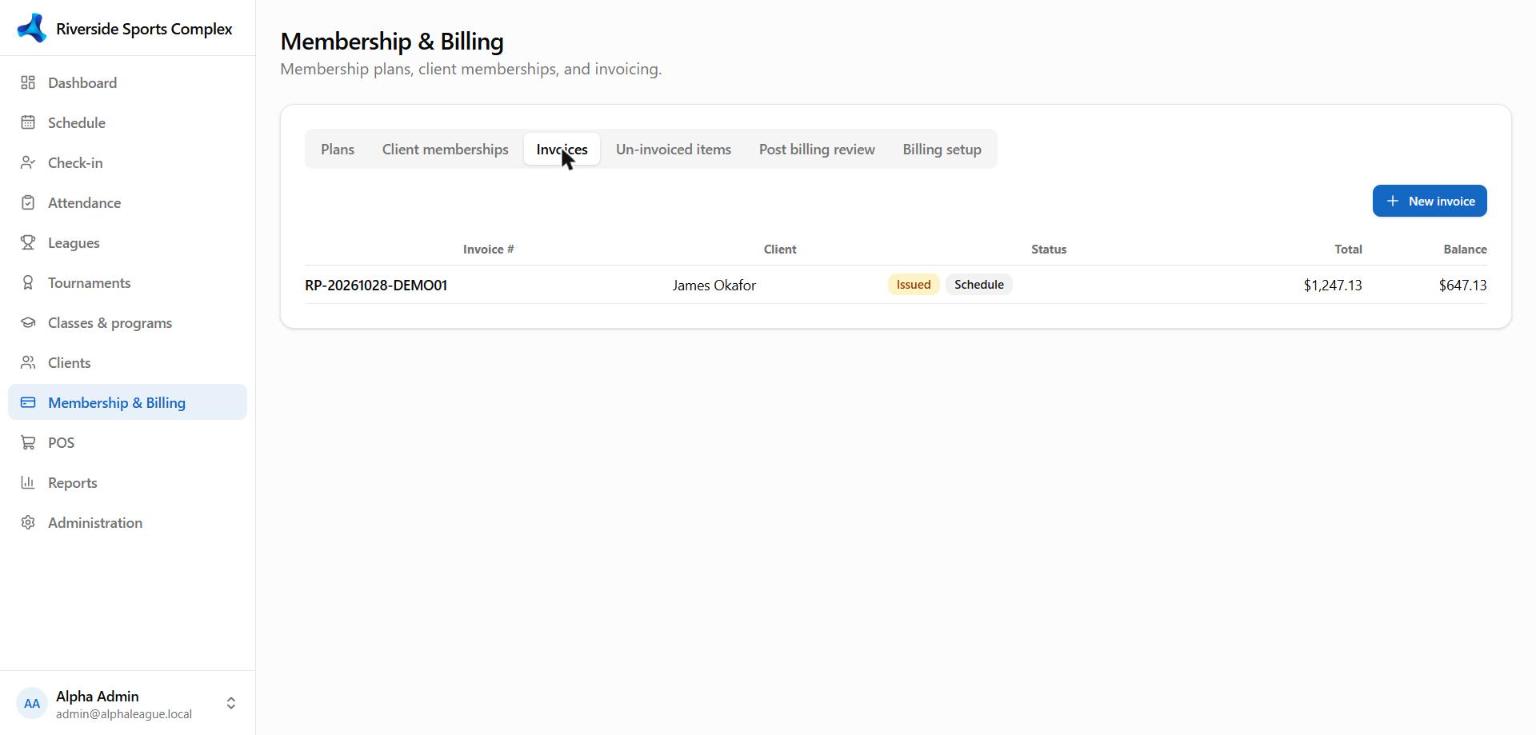
| Tab | What it's for |
|---|---|
| Plans | Membership plans: price, billing period, auto-renew, required waiver, Sell online |
| Client memberships | Every membership: start, renew, freeze, cancel |
| Invoices | All invoices; take a payment, email, print, void or reverse |
| Un-invoiced items | Charges not yet on an invoice (bookings, fees) — invoice them in one go |
| Post billing review | Check a billing run before invoices are issued |
| Billing setup | Tax rates, revenue categories and coupons |
Invoices
- Issue an invoice and the client can pay it in the portal; overdue invoices show on check-in.
- Take a payment — cash, card (online link, saved card or terminal), account credit; partial payments are fine.
- Payment schedule — split an invoice into installments; payments go to the oldest installment first.
- Void (never paid) or Reverse (paid — refunds cards automatically through the provider that took them).
- Pay with card sends the client to secure online checkout (Stripe's page, or your own pay page for Constellation).
Memberships
- Auto-renew charges the client's saved card when the membership renews (clients can switch it off in the portal).
- Freeze pauses a membership for a period; access-control rules decide what a frozen member can do.
- Waivers — a plan can require a document to be signed before it starts (online purchases ask for it first).
Coupons
Percentage or amount off, optional code, usage limits and dates; tick Self-service to accept the code in the portal.