
Appearance
Card payments: Stripe or Constellation
AlphaLeague takes card payments through your own merchant account — money goes straight to you. Choose the provider under Administration → Billing → Payment & email setup → Payment provider.
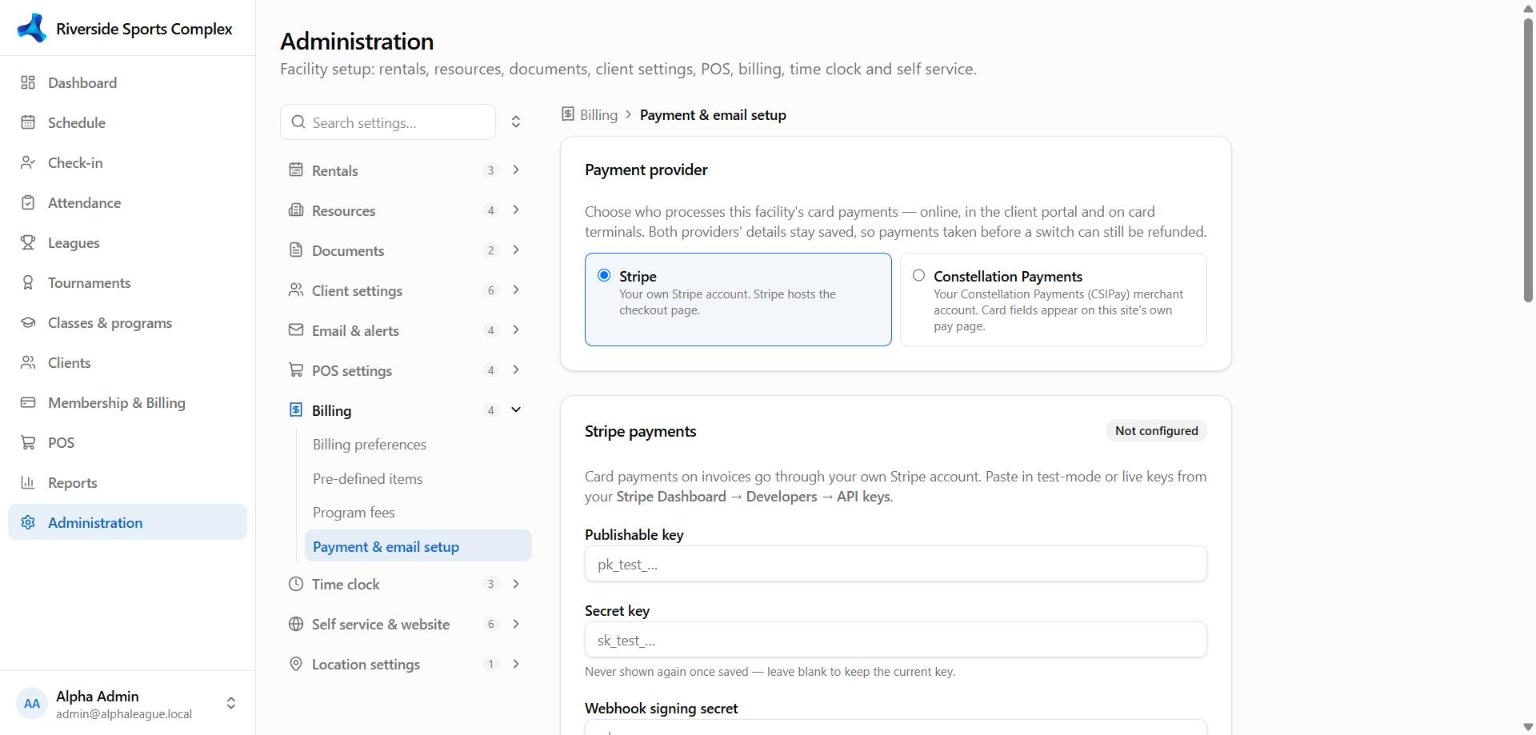
| Stripe | Constellation Payments (CSIPay) | |
|---|---|---|
| Online checkout | Stripe's hosted checkout page | Your facility's own pay page with Constellation's secure card fields |
| Saved cards & autopay | ✓ | ✓ |
| Refunds | ✓ back to the card | ✓ back to the card (a same-day full refund is a void) |
| Card terminals | Stripe smart readers (WisePOS E, S700/S710, Verifone M425…) | Terminals supplied by Constellation |
| Confirmation | Stripe webhook | Constellation payment notifications |
Both providers' details stay saved. Switching only changes where new payments go — earlier payments can still be refunded through the provider that took them.
Stripe
- In Stripe, make sure your account country is United States and payouts go to your bank.
- Copy the publishable key and secret key (Stripe → Developers → API keys) into the Stripe payments card.
- In Stripe → Developers → Webhooks → Add destination: Your account, payload Snapshot, events
checkout.session.completedandpayment_intent.succeeded, and the Webhook endpoint URL shown in AlphaLeague. Paste the signing secret (whsec_…) back into AlphaLeague. - Test connection — it names your Stripe account.
Constellation Payments
- Get your API username, password, shared secret and virtual terminal ID from Constellation (staging details first).
- Enter them in the Constellation Payments card; tick Live payments only with the live details.
- Test connection.
- Send the Payment notification URL shown in the card to Constellation support and ask them to register it for
order.processednotifications.
Test before you go live
Use the sandbox with test keys: Stripe card 4242 4242 4242 4242, Constellation staging card 4111 1111 1111 1111. A $1 invoice paid online should show Paid within seconds.
How a payment is confirmed
AlphaLeague never trusts the browser alone: an online payment is recorded only once the provider confirms it (the webhook or notification, or AlphaLeague asking the provider directly). If money is taken for an invoice that can't accept it — voided, or already paid in cash — staff get an alert email so it can be refunded.