
Appearance
Check-in & attendance
Front-desk check-in
Check-in is built for speed at the counter.
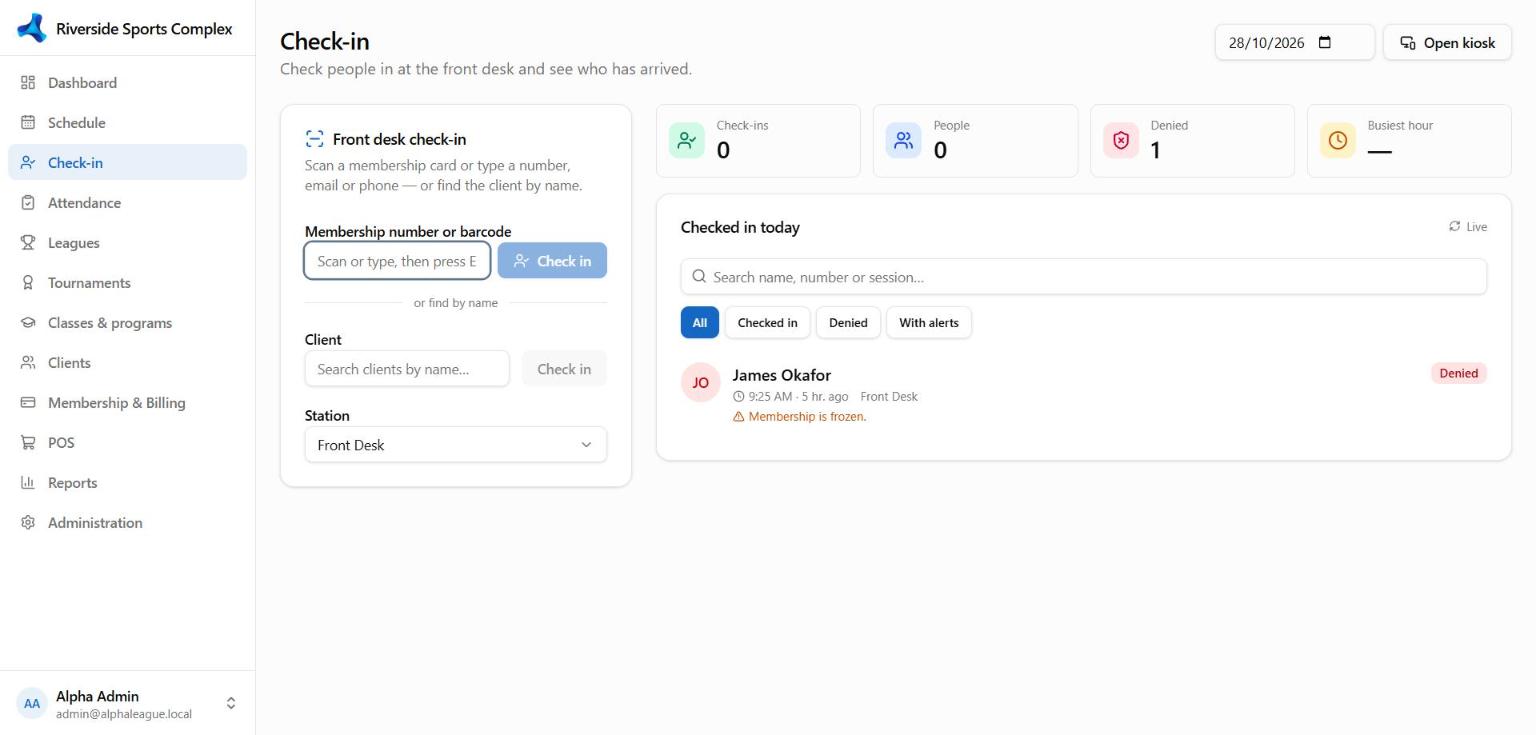
- Scan the client's ID card barcode, or type a name, email or phone.
- AlphaLeague shows the client's photo, membership status, balance owed, waivers to sign and today's bookings or classes — with clear warnings (expired or frozen membership, unpaid invoice, missing waiver). Access-control rules decide whether a warning blocks check-in or is only shown.
- Choose Check in. Packages with visits left are used automatically when they apply.
The list on the right shows who's checked in today; search it or filter by time.
Attendance
Attendance records attendance for classes and program sessions: open a session, tick who came, and save. Drop-ins can be added on the spot.
Self check-in kiosk
Open /kiosk on a tablet at the entrance so clients can check themselves in. Configure it under Administration → Client settings → Self check-in.
ID cards
Print a client's card from their profile → ID card. The card layout (logo, barcode, fields) is set under Administration → Client settings → Client ID card.