
Appearance
Point of sale
POS sells anything at the counter and records every payment.
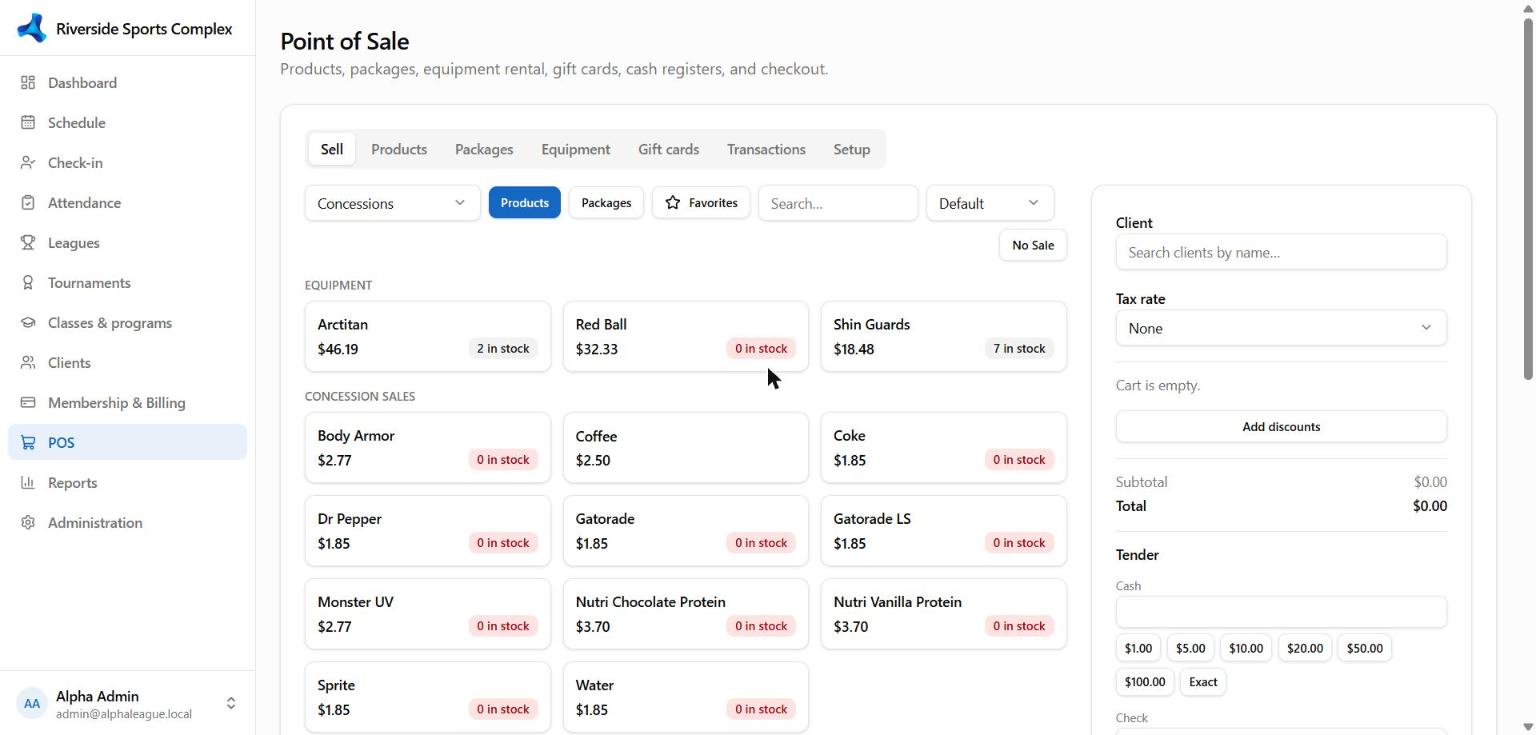
| Tab | What it's for |
|---|---|
| Sell | Add products, packages, memberships or an invoice balance to the sale; take payment |
| Products | Items, prices, tax, stock |
| Packages | Visit packages / punch cards (e.g. 10 visits, valid 90 days) — tick Sell online to offer them in the portal |
| Equipment | Rentals (balls, skates, pinnies) with check-out and return |
| Gift cards | Sell, top up and redeem gift cards |
| Transactions | Every sale; reprint receipts; refund |
| Setup | Cash registers and POS options |
Taking a payment
- Add items (search, scan, or tap a register favourite) and choose the client — or leave it as a walk-in.
- Choose Charge, then the method: Cash (enter tendered, see change), Card on terminal, Card (manual), Gift card or Account credit.
- Print the receipt — clients also get it by email when payment receipts are on (see Email & alerts).
No Sale / Open Drawer opens the cash drawer without a sale and records who did it and why.
Refunds
Open the sale in Transactions → Refund, choose items or an amount. Card payments go back to the card automatically through the provider that took them (Stripe or Constellation); anything left is refunded in cash.
See also Card terminals.