
Appearance
Booking a field or court
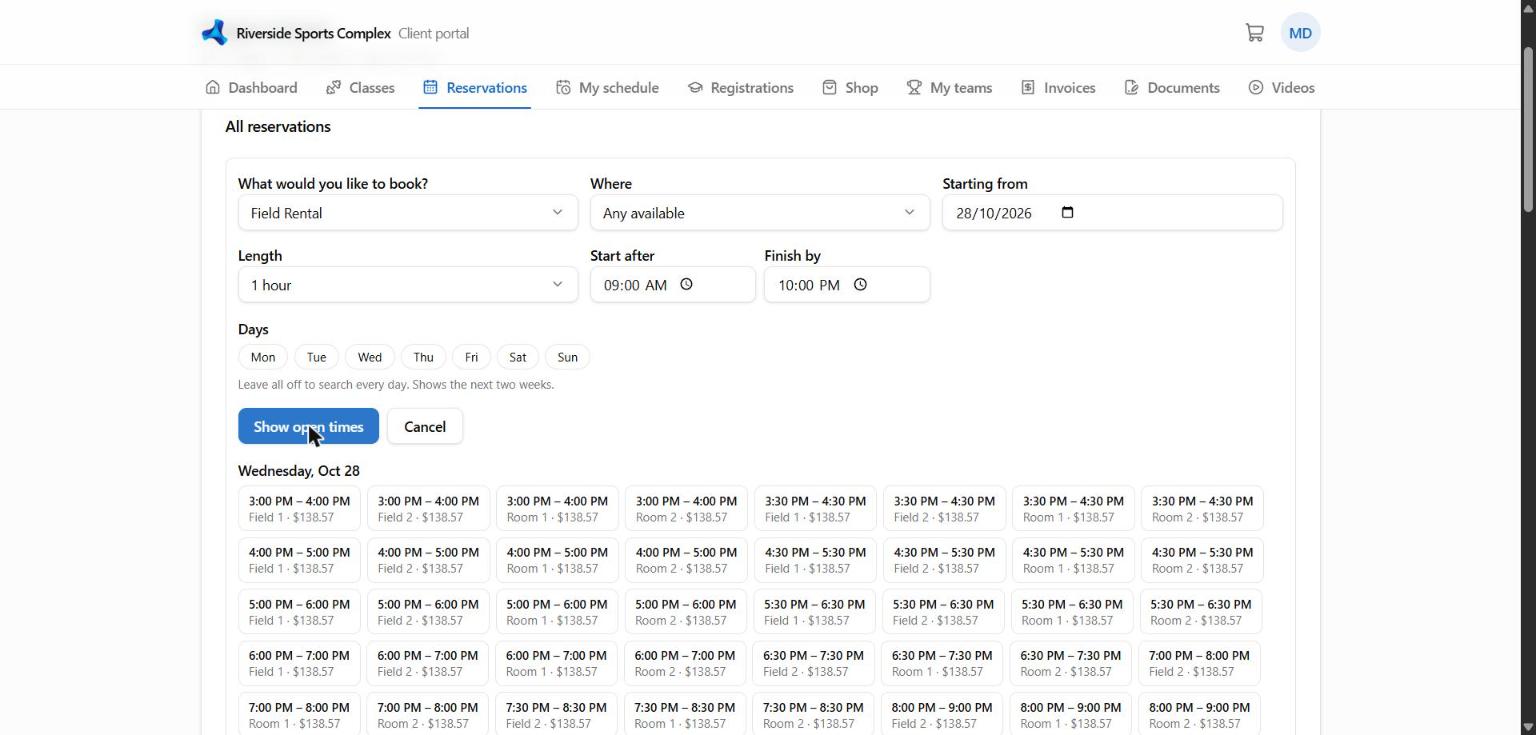
- Open Book (or Reservations).
- Choose what you want to book (e.g. Field rental), the day, and optionally a specific field or court.
- Pick a free time and length. Busy times are shown as unavailable.
- Review the price and confirm. If the facility asks for payment at booking (a deposit or the full price), you go to secure checkout — your slot is held for 15 minutes while you pay.
You get a confirmation email, and the booking appears on your home page and Schedule.
Rules you may see
Facilities set their own rules, for example:
- how far ahead you can book (e.g. up to 14 days)
- minimum notice (e.g. at least 2 hours before)
- minimum and maximum length
- members only, or only when your account has no overdue balance
If a time can't be booked, the page tells you which rule applies.
Cancelling
Open the booking under Reservations → Cancel. You can cancel yourself until the facility's deadline (e.g. 24 hours before); after that, contact the facility. Any refund or credit follows the facility's policy.